
Account Controls
-
Tools to help you manage your time and money on Whatnot
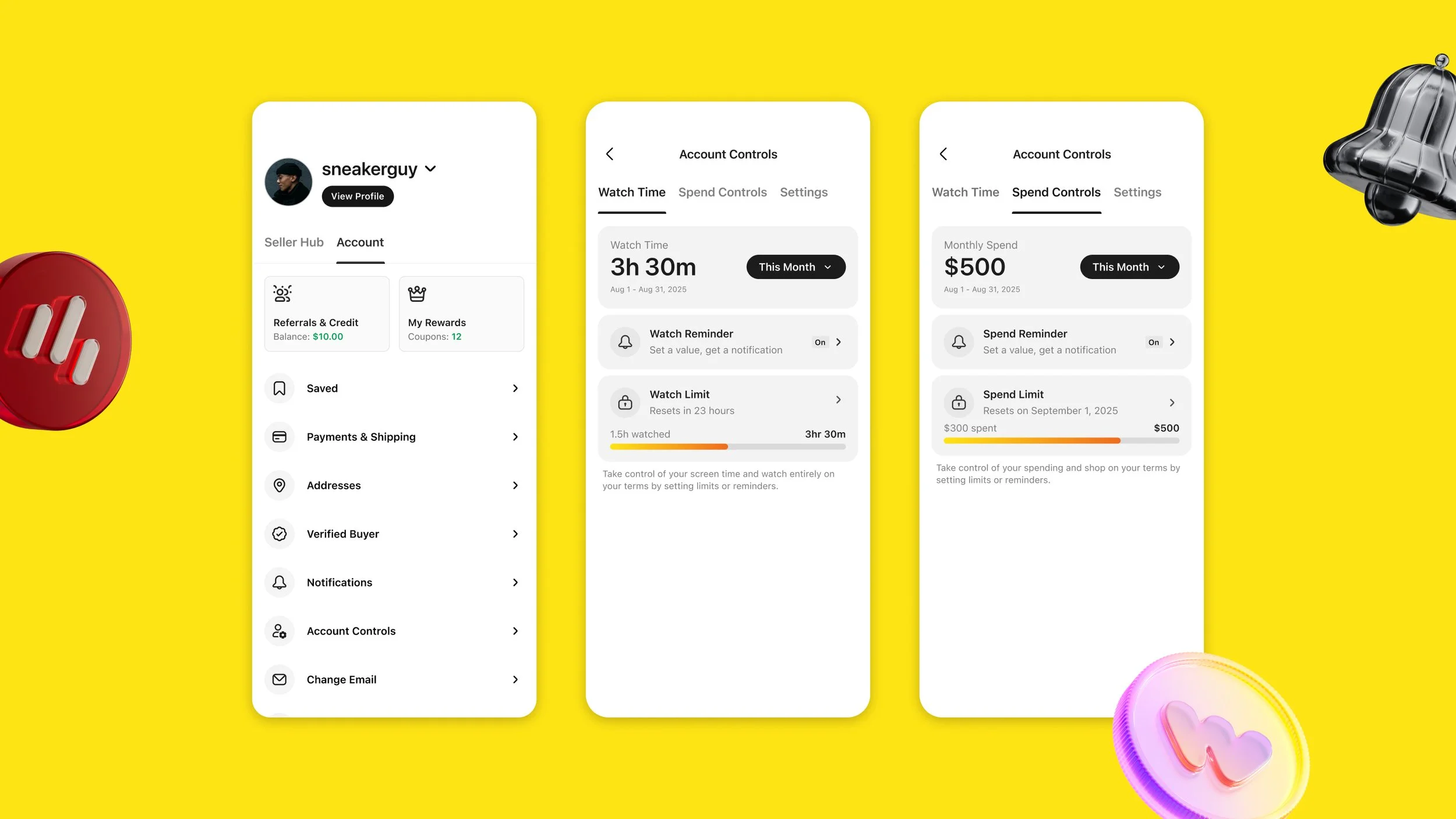
We want every buyer to feel good about their experience on Whatnot – the things they buy, the people they meet, and the time and money they spend here. We built Account Controls to help you set those terms yourself.
-
How Account Controls work
Account Controls can be found in your Account tab in the app.
With Account Controls, you can:
Check your total watch time and total spend on Whatnot any time
Set a watch time limit for a week or month
Set a spending limit for a week or month
Choose when you’d like a reminder about either limit, so you get a heads-up before you reach it
If you reach a watch time limit, you can't watch shows until the period ends. If you reach a spending limit, you can't make purchases until the period ends.
Limits are protected by a PIN you set, and you can edit or remove one any time before you reach it. Once you've reached a limit, it stays in place until the calendar week or month ends – not even Whatnot can lift it early.
-
Why we built them
We think any responsible marketplaces should give people straightforward ways to manage their own time and money. Account Controls make that easy, and no one else offers anything like them.
We think everyone should have these tools. And if you're ever looking for outside support, you can find resources here.
Frequently Asked Questions
-
Watch time counts every minute you're logged in and watching a live show during the selected period (calendar week or month).
-
Your spend total includes everything – item price, taxes, fees, and shipping. It also reflects bids you've won and bids you're currently winning on active auctions, even before the auction ends. If an auction you were winning gets outbid, your total will drop accordingly.
-
You'll see a notification letting you know you've reached the limit you set. You won't be able to watch shows or place bids for the rest of the calendar week or month. You can still use the app to track your existing orders, message friends, and (if you hit a spend limit) keep watching shows.
-
Yes, any time before you reach it, using your PIN. Once you've reached a limit, it's locked in until the calendar week or month ends. Whatnot can't lift it for you, so set your limits with that in mind.